


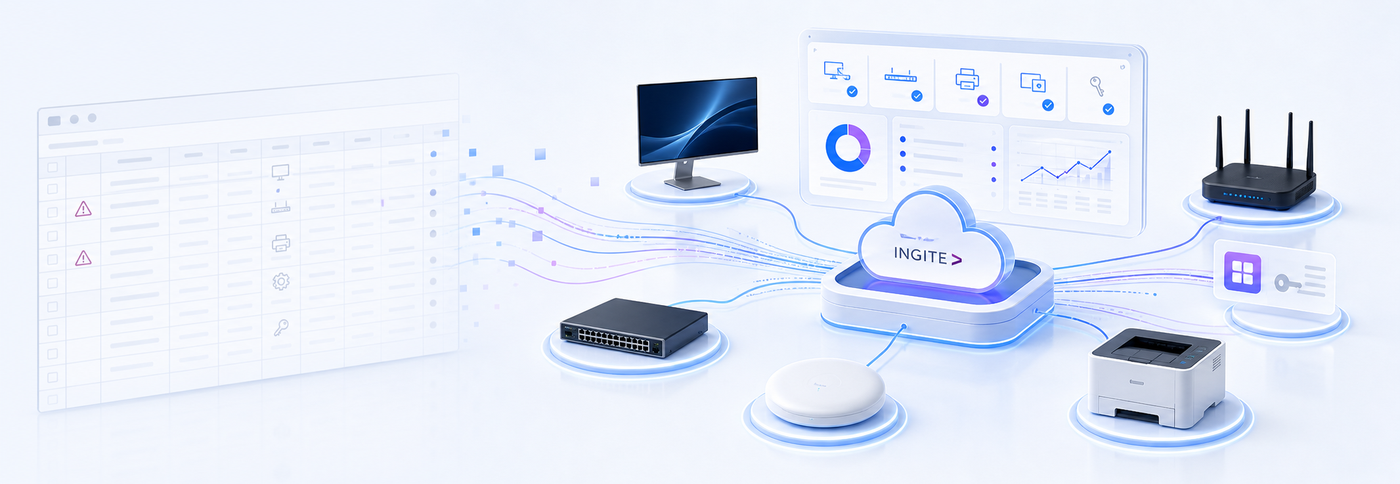
Your company has a spreadsheet listing all its IT equipment.
It includes asset numbers, models, assigned users, memory specifications, purchase dates, and perhaps even a column showing the department responsible for each device.
It looks organized.
But if that spreadsheet depends on manual updates, there is a strong chance it is already inaccurate.
Not necessarily because someone entered the wrong information. The problem is that the IT environment continued to change after the last review.
A computer changed users. New software was installed. A hardware component was replaced. A license stopped being used. A laptop began operating outside the corporate network.
The spreadsheet captured a moment in time. The operation kept moving.
A list of equipment is not asset control
Many companies treat a list of equipment as if it were a complete IT inventory.
A list can tell you how many laptops were purchased, which asset number was assigned to each one, and who is supposed to be using each device. This information is useful, but it represents only part of the environment.
Real control requires answers to questions that a spreadsheet can rarely track continuously:
- Which devices are currently active?
- Where is each device, and who is actually using it?
- What is the current hardware configuration?
- Which applications are installed on each machine?
- Which software versions are outdated?
- Which licenses are assigned, installed, and actually being used?
- What has changed since the last verification?
A spreadsheet provides a photograph. Asset management requires a live view.
Why manual inventory becomes outdated so quickly
The corporate IT environment does not remain static between audits.
Employees join the company, change roles, and leave. Equipment is transferred to other locations. Memory and storage devices are replaced. Applications are installed and removed. Licenses are activated, duplicated, or abandoned.
Each change creates a small difference between what exists in the operation and what is recorded.
Individually, these differences may appear insignificant. But when they accumulate across dozens or hundreds of machines, the spreadsheet stops being a reliable representation of the company.
It begins to represent only the last time someone managed to review the environment.
What usually becomes invisible
An outdated inventory does more than create incorrect rows. It creates operational and financial blind spots.
Forgotten or incorrectly located equipment
A device can be transferred to another location, department, or user without the change being recorded. It may also remain unused in storage while the company considers purchasing new equipment because no one knows the existing resource is available.
Software installed without visibility
An asset list may confirm that a laptop exists, but it does not necessarily show which applications are installed on it.
This makes it more difficult to identify unauthorized software, outdated applications, and tools that do not comply with corporate standards.
Licenses that continue generating costs
A license may remain active after an employee changes roles, leaves the company, or stops using the application.
Without correlating license assignment, installation, and actual usage, the subscription continues to renew while the waste remains invisible.
Hardware configurations that no longer reflect reality
Memory, storage, processors, and other components may change throughout a device’s lifecycle.
When the inventory does not track these changes, maintenance and replacement planning begin to rely on a configuration that no longer exists.
Devices outside the corporate network
Laptops used in home offices, during business travel, or at remote branches may go long periods without appearing in a manual review.
Even when they are away from headquarters, these devices continue to access corporate resources, run software, and remain part of the environment that IT needs to manage.
The cost of making decisions with outdated data
The problem is not simply being unable to locate a device. It is everything this lack of information causes.
Without a reliable view of the environment, a company may:
- Purchase equipment that was already available;
- Renew licenses that nobody uses;
- Buy new licenses without identifying unused assignments;
- Spend hours reconciling information before audits;
- Discover unauthorized software only after it causes an incident;
- Plan device replacement based on age rather than actual condition;
- Answer executive questions with estimates instead of data.
That last point is especially dangerous.
When someone asks how many computers, applications, or licenses the company has today, the answer should not begin with:
“I think.”
A decision based on inaccurate information may appear reliable because a spreadsheet exists to support it. The document creates a sense of organization, but it does not guarantee that the data still represents reality.
What changes with automated IT inventory
Real inventory is not a review performed once a year. It is a continuous process of discovery, updating, and monitoring.
With automated inventory, the IT team works with information collected directly from the environment.
This makes it possible to centralize:
- Existing devices and their current status;
- The user associated with each device;
- Operating systems and hardware configurations;
- Installed software and version information;
- Available software updates;
- Acquired, assigned, installed, and used licenses;
- Change history;
- Complementary assets such as monitors, printers, routers, switches, and peripherals.
The team no longer needs to chase information across spreadsheets, emails, and manual reviews. Instead, it can consult a centralized source that is continuously updated.
Why cloud-based management makes a difference
Today’s IT environment is distributed.
Not every device remains connected to the headquarters network, and management cannot depend on each machine being physically present in the office.
A cloud-based platform allows information to remain centralized even when endpoints are located at branch offices, employees’ homes, or other remote locations.
This reduces the time between a change occurring and the IT team discovering it.
Cloud management also makes it easier to consolidate hardware, software, licenses, users, and locations into a single view.
The value is not limited to counting assets. It comes from understanding how those assets are distributed, used, and modified.
Continuous visibility helps organizations reduce waste, anticipate risks, simplify audits, and make decisions based on current data.
How INGITE helps
With INGITE Cloud Asset Management, companies can transform IT inventory into an automated, centralized, cloud-based process.
The platform provides the visibility required to monitor:
- Detailed hardware inventory;
- Installed software and available updates;
- Devices, users, groups, and locations;
- Acquired, assigned, installed, and unused licenses;
- Relevant changes across the environment;
- Assets without an endpoint agent, including monitors, printers, routers, switches, and other peripherals.
The goal is not to replace a spreadsheet with another screen.
It is to replace an outdated photograph with a live operational view.
This allows IT, asset management, and operations teams to work from the same reality—with fewer manual reviews and greater confidence in the information available.
The question that reveals whether you have real control
Ask one simple question:
If a device, an application, or a license changed today, when would your company discover it?
If the answer is “during the next review” or “when someone tells us,” your inventory still depends on a future update.
Spreadsheets remain useful for recording and analyzing information. But asset control requires automated discovery, context, and continuous visibility.
👉 Discover INGITE Cloud Asset Management and learn how automated inventory can become the foundation for stronger governance and data-driven decisions.